Genome Midi Sequencer V2 (Sneak Preview)

Preview: Beta Genome Midi Sequencer V2 – Radiant Synth + Drum Machine was uploaded by: Synth Anatomy
Duration: 94
Rating:  … Read More Genome Midi Sequencer V2 (Sneak Preview)
Preview: Beta Genome Midi Sequencer V2 – Radiant Synth + Drum Machine was uploaded by: Synth Anatomy
Duration: 94
Rating: … Read More Genome Midi Sequencer V2 (Sneak Preview)
White Noise Software has updated Genome MIDI Sequencer for the iPad. Here’s what’s new in Genome 1.1.0: Fixes for playhead visual positioning issues ‘Create’ option for Grooves (create a groove template from a pattern, such as recorded MIDI notes). Remix Pads File management – Delete, email, Open in… (for opening files in other apps including… Read More Genome MIDI Sequencer For The iPad Updated
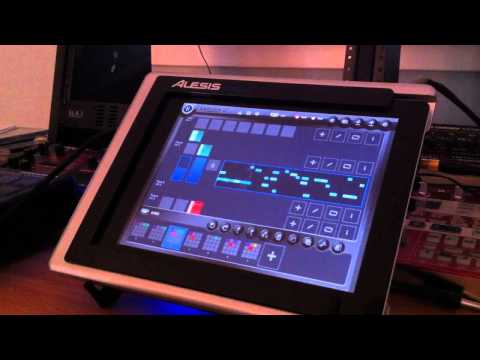
Genome MIDI remix pads was uploaded by: dwallin33
Duration: 226
Rating: … Read More Genome MIDI Update Adds ‘Remix Pads’ (Sneak Preview)

Jim’s Tips & Tricks: Genome Sequencer MASSIVE MIDI Jam! was uploaded by: jimmclaren1
Duration: 450
Rating: … Read More Sequencing Software & Hardware With Genome Sequencer
White Noise Audio have released a new version of Genome MIDI Sequencer, their multitouch sequencing app for the iPad. Here’s what’s new in Genome MIDI Sequencer 1.6: New: Continuous scrolling New: Scales New Options: View snapping, note echoing in Pat Ed. Added MIDI panic button ‘Envelope Draw’ mode for modifying length, velocity, and timing Added selection… Read More Genome MIDI Sequencer Updated WIth Note Snapping, Scales & More
Developer White Noise Audio Software has announced an update to Genome MIDI Sequencer for the iPad. Here’s what’s coming to Genome 1.0.6: One of the biggest improvements is the new scrolling gesture for the Pattern editor. The pattern editor has been rewritten to handle smooth scrolling and zooming using the two-finger gesture. Fans of the… Read More Coming Soon To Genome MIDI Sequencer For iPad
White Noise Audio Software has published their roadmap for development of Genome MIDI Sequencer for 2012. Here’s what’s on the preliminary set of goals for 2012: Revamp Pattern Editor controls, make usability improvements. Additional options and better scrolling for the piano roll. This may include easier ways to toggle the grid, swing, and more editing… Read More The Future Of Genome MIDI Sequencer – 2012 Developer Roadmap
White Noise Audio Software has announced an update to Genome MIDI Sequencer. Genome MIDI Sequencer is coming soon and will bring support for running the app in the background, letting you tweak synths while sequences run. Here’s what’s new in Genome MIDI Sequencer 1.0.2: Genome MIDI Sequencer will be getting background support, improved CC drawing… Read More Genome MIDI Sequencer Update Bringing Background Support
White Noise Audio has updated Genome MIDI Sequencer, adding virtual MIDI support and more. Genome MIDI Sequencer (GMS) is a pattern-based MIDI sequencer for the iPad. With GMS you can now sequence iPad music software, in addition to your MIDI gear. Here’s what’s new in Genome MIDI Sequencer v1.0.1: greatly reduced time between editing a… Read More Genome MIDI Sequencer Updated, Adds Virtual MIDI Support

Genome ipad midi sequencer with modular and D1000.mov was uploaded by: deadlover73
Duration: 285
Rating:  … Read More Genome iPad MIDI Sequencer + Modular, Metasonix D1000
