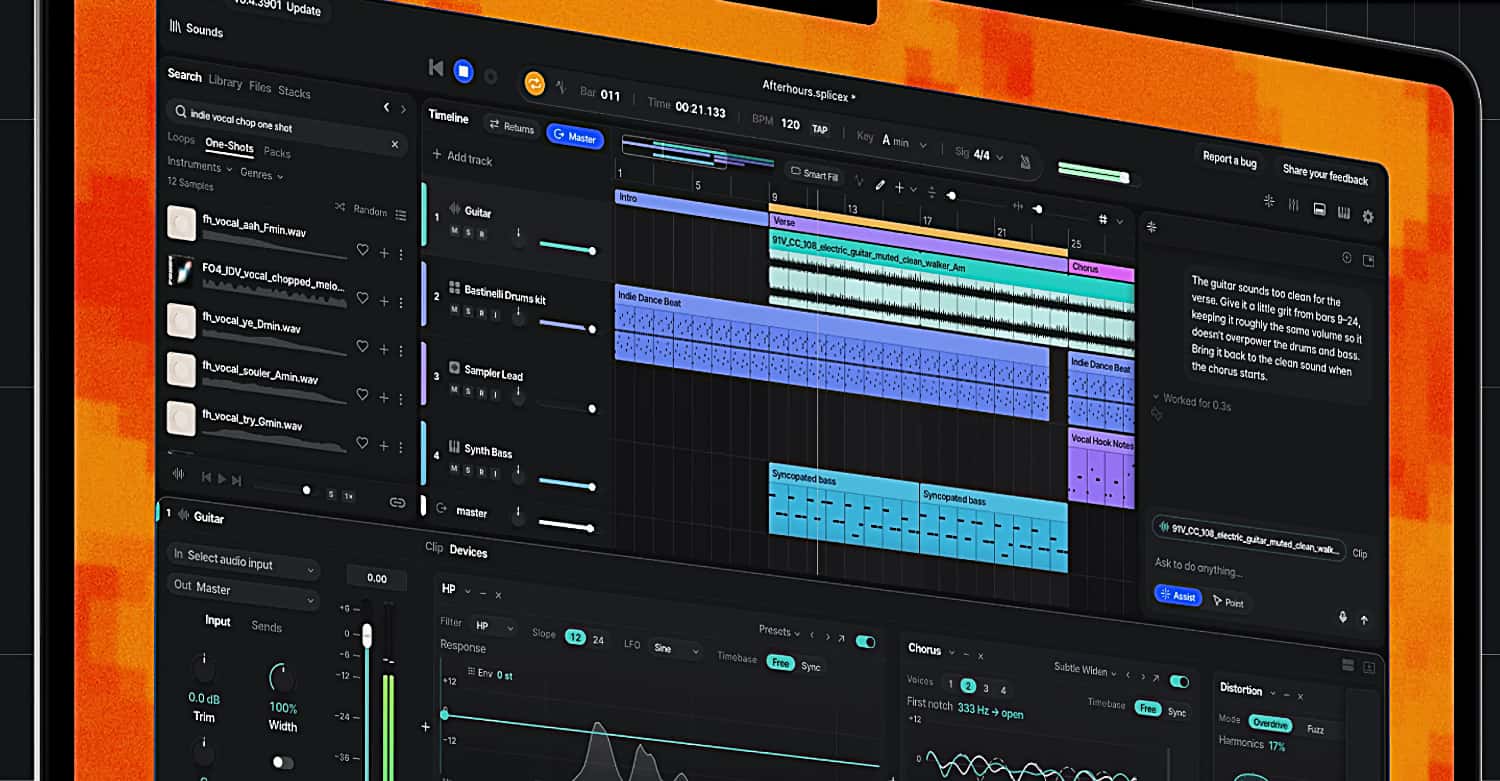
Splice has entered the digital audio workstation (DAW) market with Splice Create, a new music-production application that brings the company’s sample library, virtual instruments and production tools into a single environment.
Designed as an all-in-one music studio, Create integrates Splice’s catalog of more than three million human-made, fully licensed sounds and samples, along with instruments from Splice INSTRUMENT and support for third-party VST plug-ins.
One of the application’s distinguishing features is its voice and text-controlled production assistance. Users can issue natural-language commands to perform tasks such as finding sounds, grouping drum tracks, applying effects and handling repetitive production operations.
Create also introduces Point Mode, an interactive tutorial system that guides users through the interface and demonstrates production techniques step by step.
The application is designed to help producers develop their skills while working on music, rather than simply generating finished tracks. Users retain control over their projects, with the ability to edit their arrangements and export audio for further work in other DAWs.
Splice Create is currently available as a standalone Mac application in beta, with Windows and web versions planned for the future.
Features:
- A standalone digital audio workstation combining Splice’s sound catalog, virtual instruments, effects and production tools.
- Integrated access to more than three million human-made, fully licensed sounds and samples from the Splice catalog.
- Splice INSTRUMENT virtual instruments are incorporated into the production environment.
- Native support for third-party VST plug-ins, allowing users to incorporate their existing software instruments and effects.
- Voice and text commands allow users to search for sounds, group tracks, apply effects and perform other production tasks using natural language.
- Rheo, an integrated AI assistant, provides context-aware assistance with sound selection, production techniques and DAW operations.
- Point Mode provides interactive, step-by-step guidance through the application, demonstrating production techniques and explaining different workflows.
- AI-assisted sound discovery can identify samples that fit the tempo, key and harmonic characteristics of a project.
- Additional AI-assisted tools include stem separation, audio-to-MIDI transcription and sample variations.
- Generative MIDI tools can assist with creating drum patterns, melodies, basslines and chord progressions.
- AI-assisted operations produce editable audio and MIDI material that remains under the user’s control.
- Projects can be exported as audio for continued production in other digital audio workstations.
Pricing & Availability:
Splice Create is available now in beta as a standalone macOS application. Splice is offering introductory Create Pro pricing of $9.99 per month. Windows and web versions are planned for release in the future.
