Novation
Articles about Novation:
Novation Launchpad Review Video
Send to a Friend
|
Feed for this Entry |
Filed under: Computer Hardware, Controllerism, MIDI ControllersMax4Live takes a look at the Novation Launchpad, a new $199 controller designed to “put Ableton Live at your fingertips.”
This demo, via FM, takes a look at using the new Novation Launchpad with Ableton Live 8.
Novation Launchpad Demo
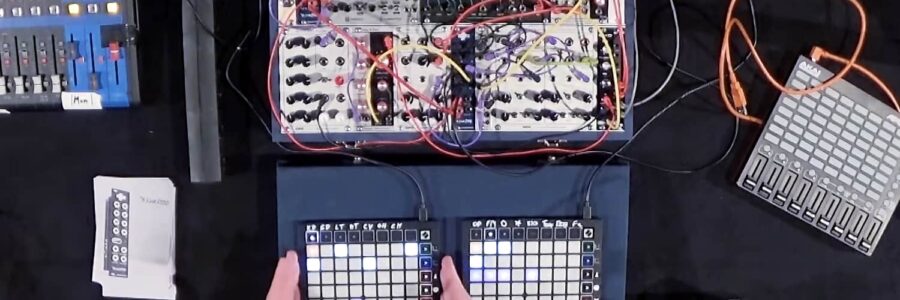
This is a short demo of the Novation Launchpad and Nocturn from the AES convention.
You can use a combination of Launchpads Nocturns and other devices in one Live session.
Novation AutoMap 3.3
Send to a Friend
|
Feed for this Entry |
Filed under: MIDI Controllers, MIDI Interfaces, Software Effects & Audio ProcessorsNovation has released Automap 3.3 for Mac OS X and Windows.
Here’s what’s new:
- Logic 9.01 improvement.
- Revised RTAS wrapper to allow plug-in updates.
- Nocturn Keyboard enhancements.
- Updated DAW set-up guides improvements.
Download here.
Jointly designed by Ableton and Novation, the Novation Launchpad is a new $199 controller designed to “put Ableton Live at your fingertips.”
The Launchpad is purpose built for triggering and manipulating clips in Ableton Live, with a multi-colour 64-button grid and dedicated scene launch buttons. Launchpad’s buttons can be used to sketch out beats with drum racks, and they can be assigned to other functions in Live using Ableton’s ‘Learn’ mode.
Launchpad ships with a dedicated ‘Launchpad edition’ of Ableton Live 8, but can control almost any other music software using Novation’s award-winning ‘Automap’ control software.
Launchpad Features:
- Launchpad features a multi-color, 64-button grid for launching clips plus eight dedicated scene-launch buttons. The buttons are lit by LEDs displaying clip status so you can see at a glance what’s loaded (orange), what’s playing (green), and what’s being recorded (red).
- 4 modes — It’s not just about launching clips: as well as the Session Mode, Launchpad offers Mixer Mode—a unique way to control Ableton Live’s mixer—and two fully-customizable User Modes.
- In Mixer Mode, the rows and columns of the grid become virtual faders, sliders and knobs controlling track volume, pan, sends, mute, solo, Clip Stop Buttons and record arm, depending on the function selected. Use the scene launch/mixer function buttons to select the function you want to control.
- The two fully-customizable User Modes transform the grid into a drum pad controller, DJ effect controller or anything else you can think of. The default state for User Mode 1 provides drum pad control for Live’s Drum Racks — great for sketching out beats. Using Live’s simple MIDI mapping, it’s easy to create custom control environments, whatever devices you’re using and however your Live Sets are configured.
- The User Modes make Launchpad the ideal hardware counterpart for Max for Live. Launchpad is flexible enough to deal with even the most detailed Max for Live devices and can handle generic parameters and controls with ease. Eleven LED states provide visual feedback that’s precise enough for complex devices. Launchpad users will soon be able to download a Max for Live step sequencer patch from Novation and more Max for Live patches are planned for the future.
- Communication goes both ways — Live and Launchpad are in a constant, two-way, hardware-software dialog. The back-lit grid buttons show what’s happening in Live and Live, in turn, shows which section of the Session View is currently under Launchpad control: a red border around the current clip group let’s you see where you are with a just a cursory glance at your screen.
- Navigating the Session View — Obviously, you’re not limited to controlling only 64 clips. The arrow buttons move the grid up, down, left and right one track or scene at a time. Hold down the ‘Session’ button in Session Mode, and you can use the arrow keys to jump eight tracks or rows at a time—very useful for navigating around large, complex Live Sets.
- More buttons? More Launchpads — Want more buttons? Launchpads are designed to work together, with up to six units at once. That’s more than 400 assignable buttons! Launchpads running on the same system can run in different modes, so you can control the Session View, mixer and custom setups all at once, with one Launchpad for each.
We’ve got detailed specs and demo videos below. Get the full details at the Novation site.
Check it out and leave a comment with your thoughts! Read more…